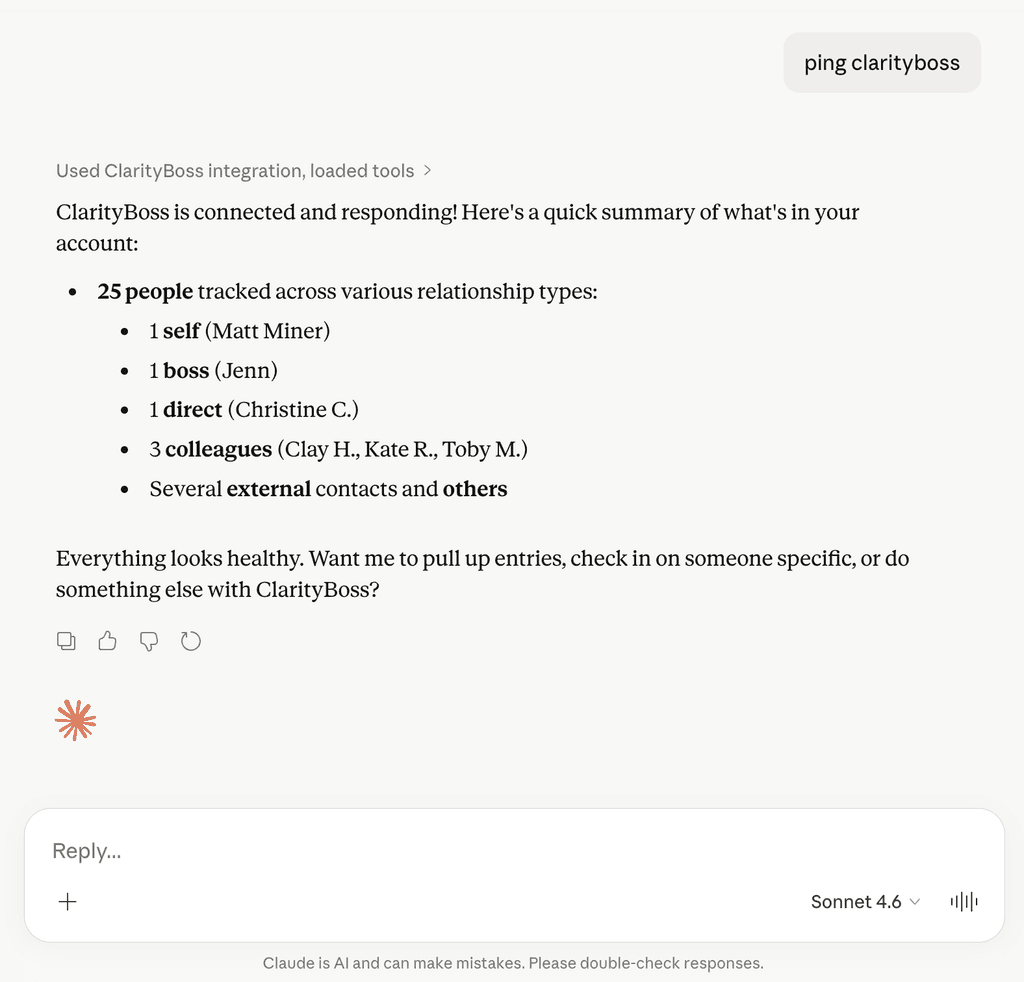
ClarityBoss integrates with Claude by offering an MCP (Model Context Protocol) server. This allows both technical and non-technical managers to use an AI assistant hand-in-hand with ClarityBoss.
Connecting Claude to the ClarityBoss MCP server will allow you to access and create notes right from the Claude Chat interface.
- Query existing notes to use for context for other activities.
- Create new feedback entries for your team members.
- Create new 1:1 or quick notes for future use.
- List your team and get answers to questions about them.
Add Connector to Claude
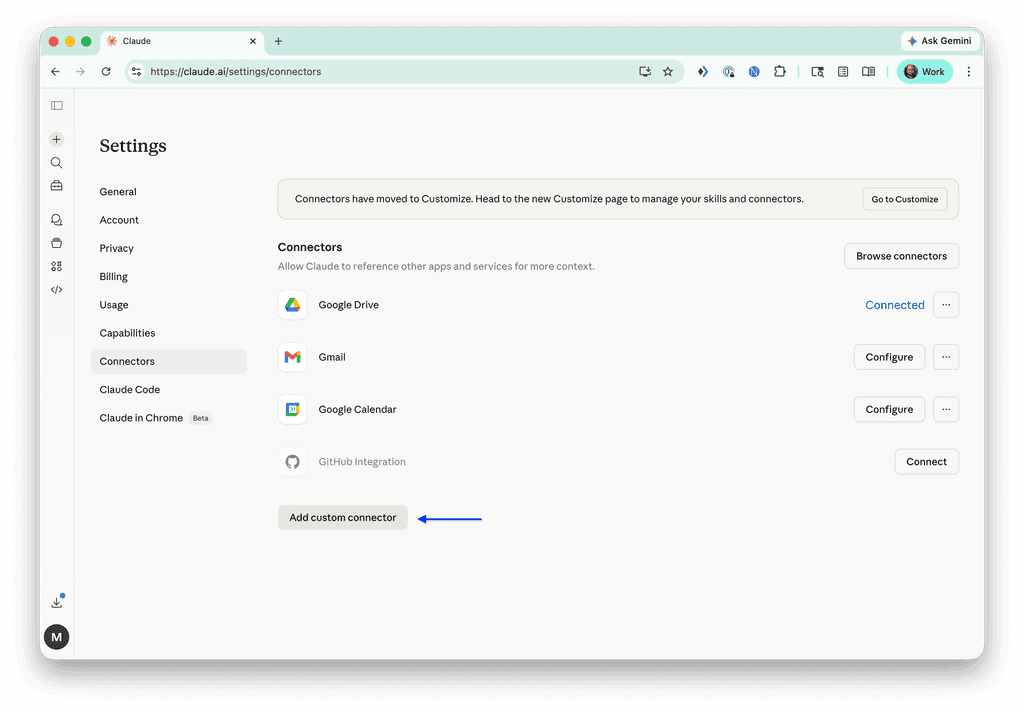
Start by navigating to Settings → Connectors. Click the “Add Custom Connector” button.
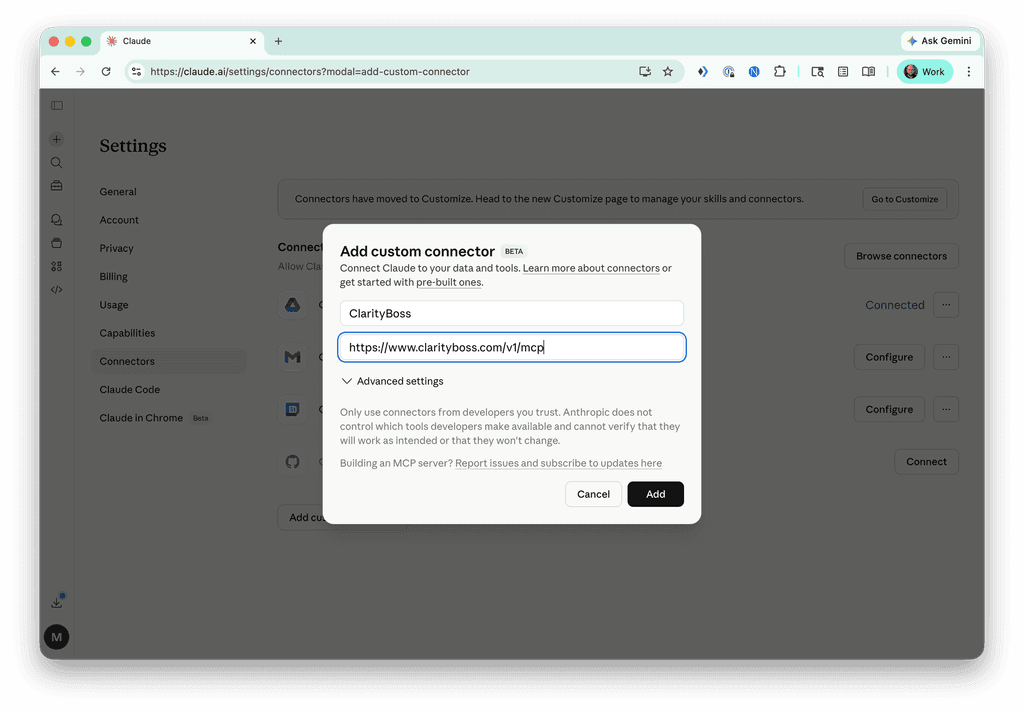
Configure Custom Connector
Use the following configuration values:
- Name: ClarityBoss
- URL:
https://www.clarityboss.com/v1/mcp
Then click “Add”.
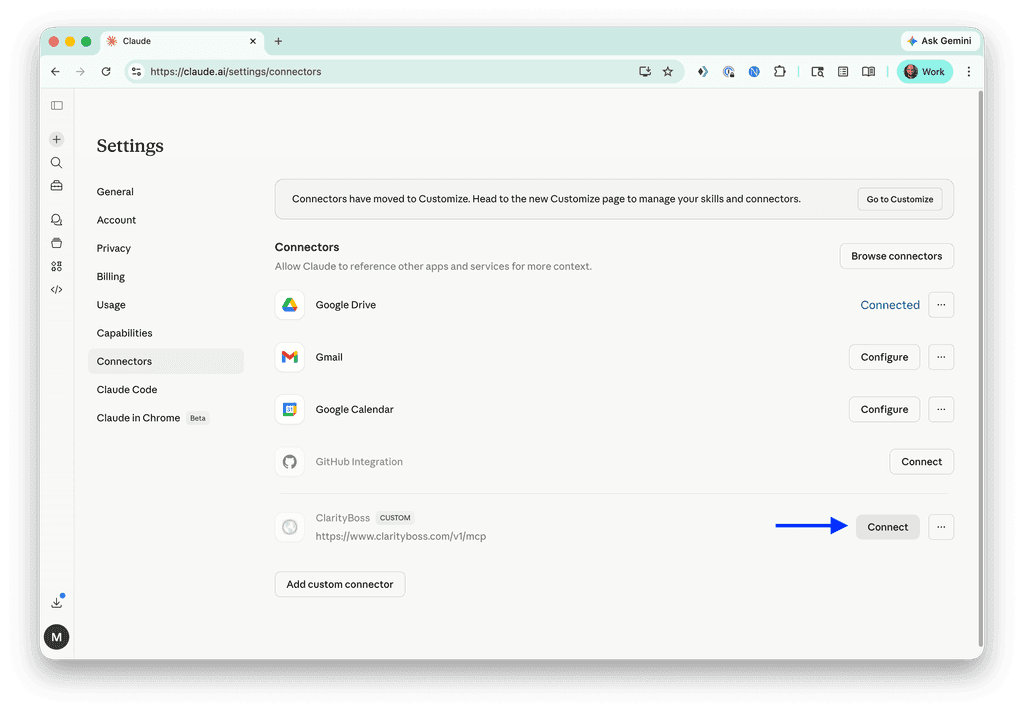
Connect
Click “Connect” to establish the initial connection.
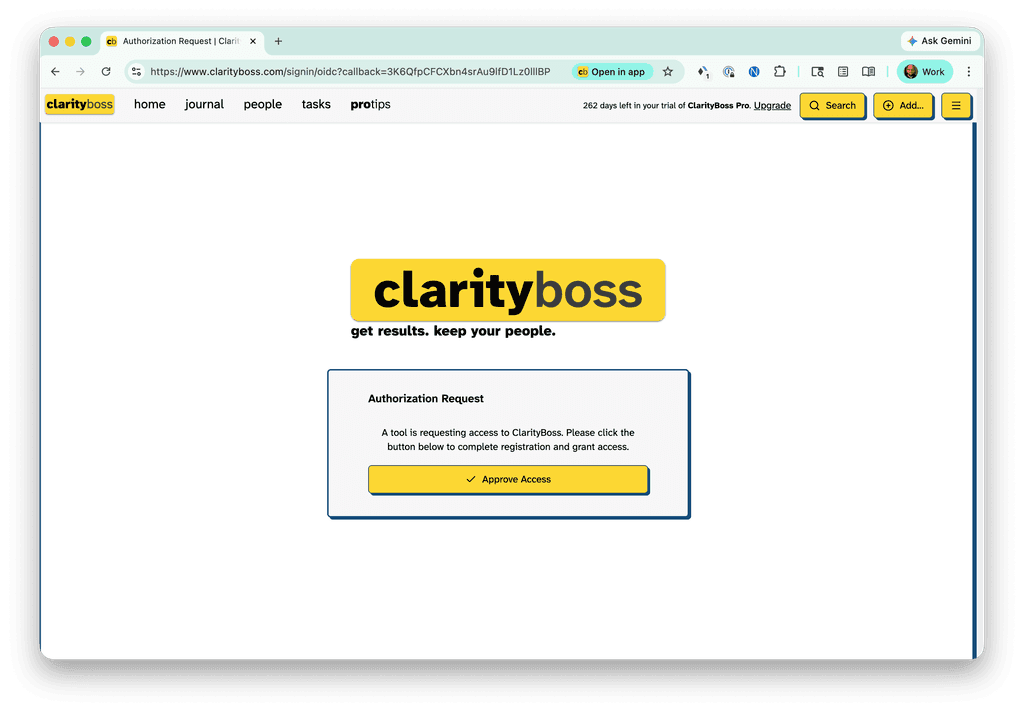
Authorize In ClarityBoss
You’ll be redirected to ClarityBoss. Click “Approve Access”.
Start Using the Connector!
You can do all sorts of things with the ClarityBoss connector. Give it a try and pull it into existing or new AI workflows you might already use.