You just finished a one-on-one with a team member. You took great notes in ClarityBoss — action items, feedback, discussion topics — and now you want to make sure they have a copy. Instead of wrestling with formatting in your email client or copy-pasting text that loses all its structure, just share the entry directly from ClarityBoss.
The share feature emails your journal entry as a cleanly formatted message. It is useful for sharing weekly reports, project updates, one-on-ones, or any entry where keeping someone in the loop matters. No formatting hassles, no lost context, just a clean email that actually looks professional.
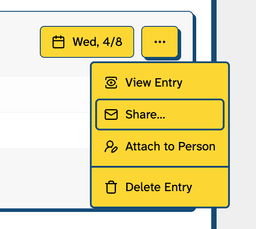
Select “Share…”
Open the share dialog from any journal entry.
Pick Recipients
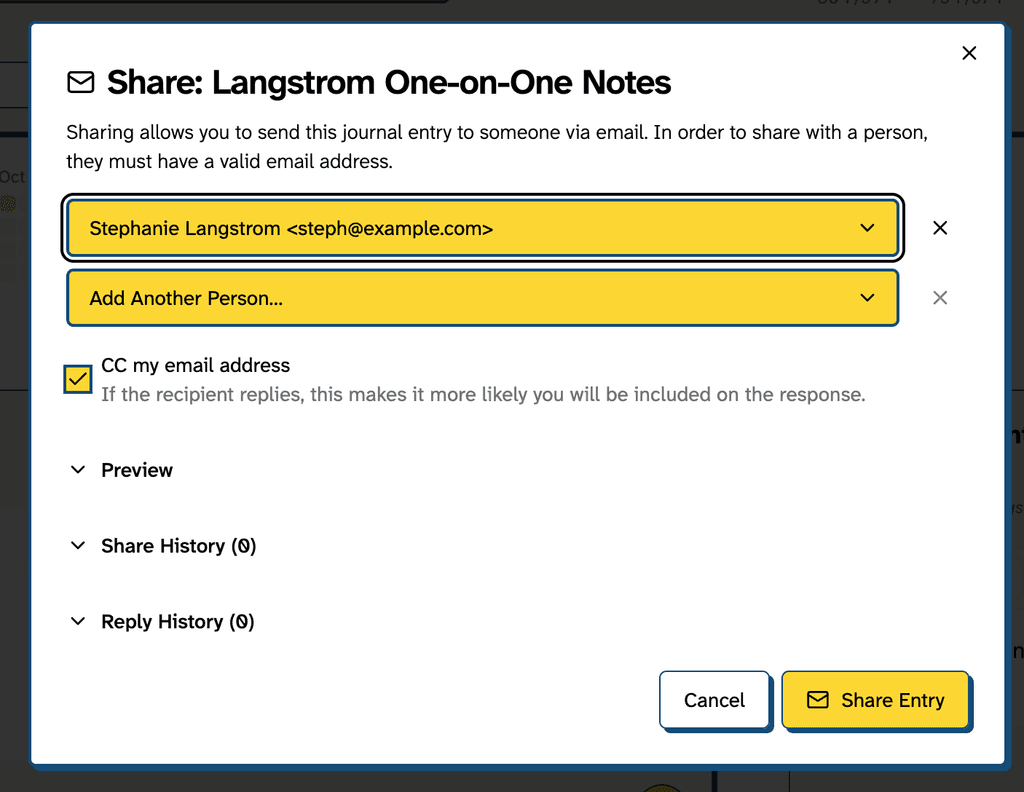
You can select one or several recipients. As you fill in recipients, ClarityBoss automatically adds another empty row, making it easy to share with multiple people at once.
There are a few features that help bridge the gap between ClarityBoss and email. CC my email address is checked by default. When recipients reply, you’ll be included in the conversation. This is especially valuable for one-on-one notes where follow-up discussion or acknowledgement is expected.
Note: When sharing with multiple people, you’ll see a Send as one email option. Check this if you want all recipients to see each other in the email To: field and be able to reply-all. Leave it unchecked (the default) to send individual emails where each person gets their own private copy. Choose based on whether you want to enable group collaboration or keep communications separate.
Preview and Send
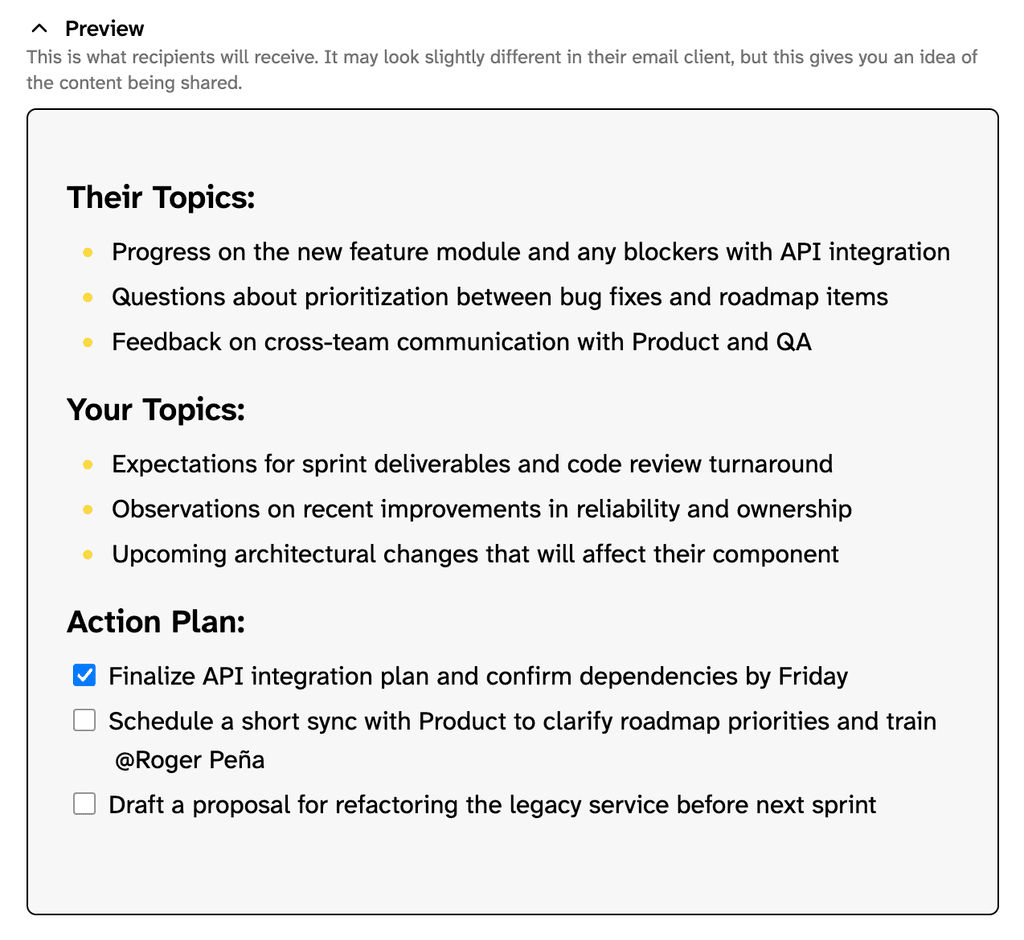
You can view a preview of the email you’re about to send by expanding the “Preview” area.
When you’re ready, click “Share Entry”.
View Share and Reply History
ClarityBoss keeps track of your sharing activity. The Share History section shows who you’ve sent this entry to and when, helping you avoid duplicate sends and stay organized.
Reply History automatically captures responses. When someone replies to a shared entry, ClarityBoss extracts the actual reply text (stripping out all of the messy quoted content) and displays it right in the share dialog. You get a complete record of the conversation without leaving your journal. We’re working to improve the visibility and usability of reply history in the near future!
